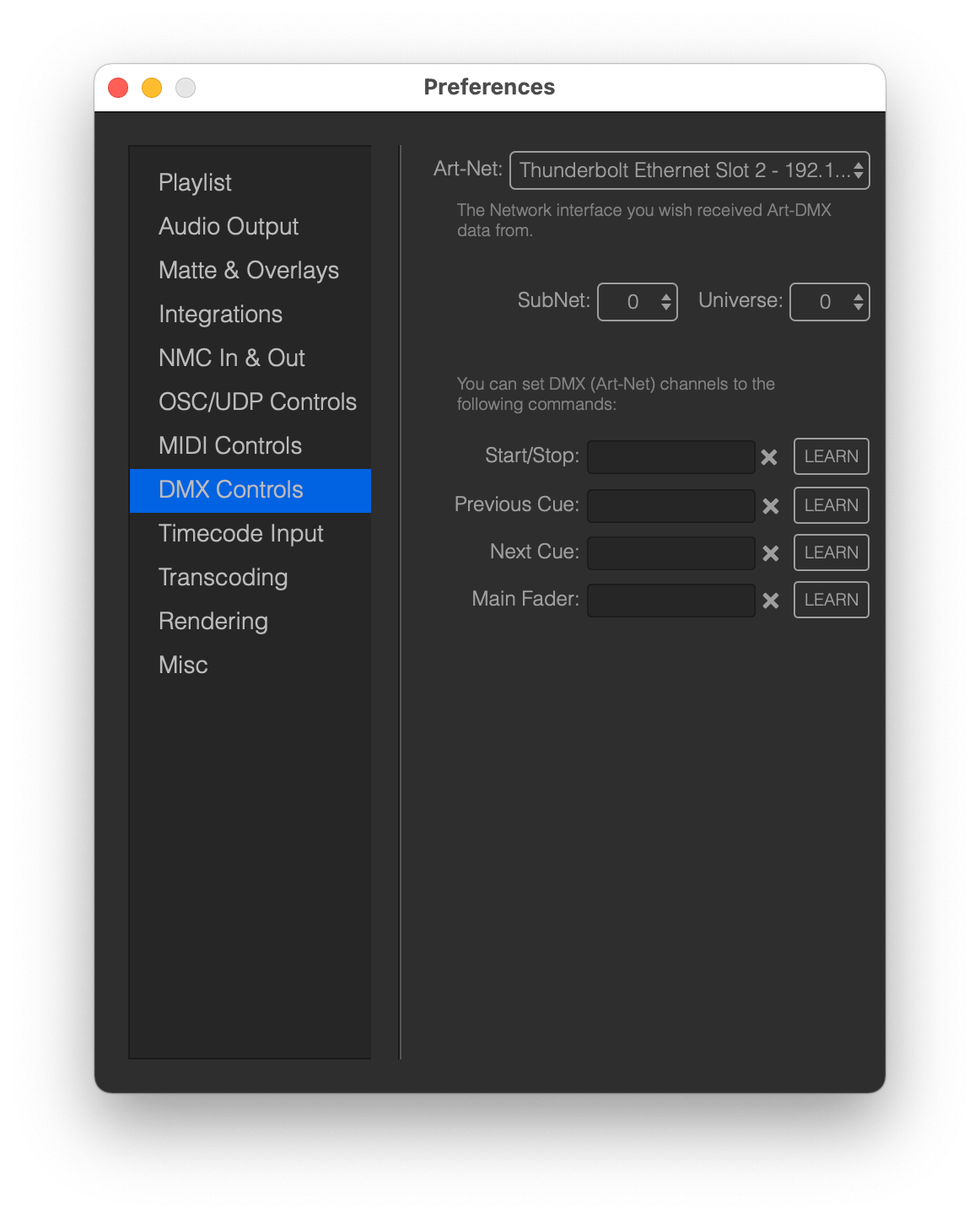
Mitti can be controlled by DMX, more specifically by Art-Net - which is basically DMX on a computer network, allows you to remote control the app by softwares supports sending Art-Net packets or hardware controllers, like lighting desks.
You can set the network interface by the Art-Net popup Mitti should listening for incoming Art-DMX packets, and you can also limit with SubNet and Universe should Mitti use - both counts from 0 (zero).
To assign one of the available functions to an incoming DMX channel,
- Click on LEARN next to the function you want to control
- Send the corresponding DMX channel from your software or hardware DMX Controller
- You can clear the current assignment by clicking on the X icon
- When you finished, click again on LEARN to disable assign mode.
DMX actions considered to be triggered if the channel value is higher than 0, so Start/Stop for example considered to be Start if the associated channel value is higher than 0.
DMX Controls are counting from 1, so for example the first channel is 1.
Important: All DMX commands are ignored when Mitti is running as a timecode follower, except the Main Fader controls. Mitti requiring ArtNet message to be sent in Broadcast mode.