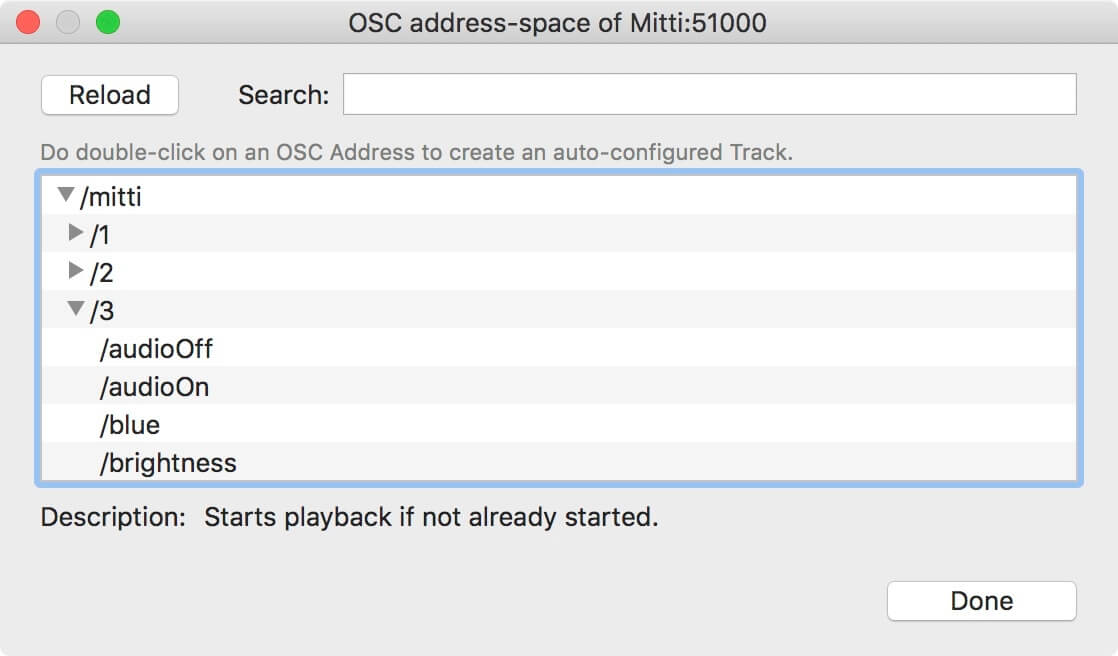
Vezér 1.7 added support for the OSC Query specification, which lets you discover the current address space of an OSC Query-enabled application and create Tracks pretty easily. The protocol is still on draft state, and yet Mitti is the only application which supports this new protocol.
If a Query server is available it will be listed in the popup-menu of the Add Track button and in the right-click menu of the Composition Timeline too.
Clicking on it will order front the OSC Address-space window where you can see all of the available OSC addresses provided by the server with their description and you can also search them.
Doing double-click on any of the OSC Addresses listed with create the corresponding Track on the current Composition, with matching settings - so the Tracks Min/Max Values and OSC Track Types will be set automatically for you. For OSC Addresses without parameters an OSC Flag Track with the corresponding OSC Flag Keyframe will be created.