
Audio-Video desync
For Blackmagic Outputs, you need to choose one of the NDI & SDI options in Mitti's Audio Preferences. This way Mitti will use the device's native driver to send audio data thru, which maintains syncronization between audio & video. If you select the device directly, Mitti will use its Core Audio driver that does not guarantee audio & video syncronization.
Keyer option is greyed out
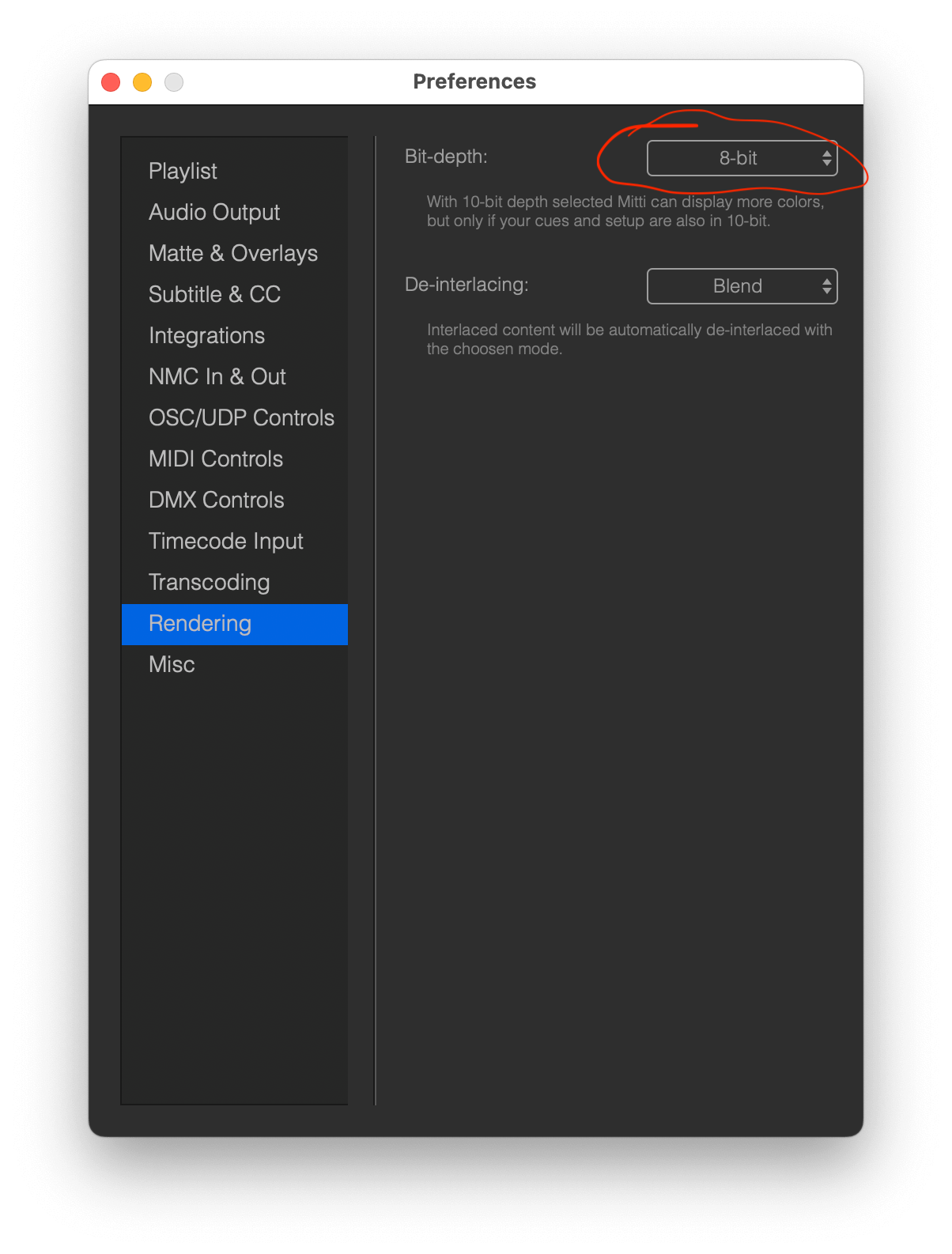
If the Keyer option is greyed out but you’ve a Blackmagic card with a keyer, for example the Blackmagic UltraStudio HD Mini, you most likely have 10-bit rendering enabled.
Mitti currently supports only 8-bit rendering with alpha.
While 10-bit rendering with alpha isn’t available in the app just yet, most Blackmagic Design hardware doesn’t support this configuration either.
We’ve designed the app to work seamlessly with widely supported setups, ensuring smooth performance and compatibility for most workflows. If you’re working on something that needs this specific feature, let us know - we’re always here to help and would love to explore how we can best support your needs!
Device does not recognised
All Blackmagic devices required drivers to operate, so first of all please install the latest version of Blackmagic Desktop Video driver, which you can found here.
No input from the device
Blackmagic devices have multiple input formats, but usually only one fed with input stream - the format of video you are sending to the device, for example 720p60. Some devices like the UltraStudio Mini Recorder supports auto-detecting of the input format, so Mitti can automatically select the corresponding format for you, but others are don't - that case you need to select the correct format yourself manually using the Format Popup.
An other possible problem could be HDCP, so make sure you are not trying to send a HDCP protected signal to your Blackmagic device.
Device does not reconnect correctly
When you have multiple Camera Cues linked to multiple Blackmagic devices it is possible Mitti won't be able to reconnect them as expected.
Most of the Blackmagic products does not have a unique ID which is identifies the device, and without these information Mitti won't be able to restore the connection with the device. It will try to match the device you used last time, but in case you have multiple Blackmagic devices but the same model, its almost impossible to identify them across device connections, system reboots, etc.