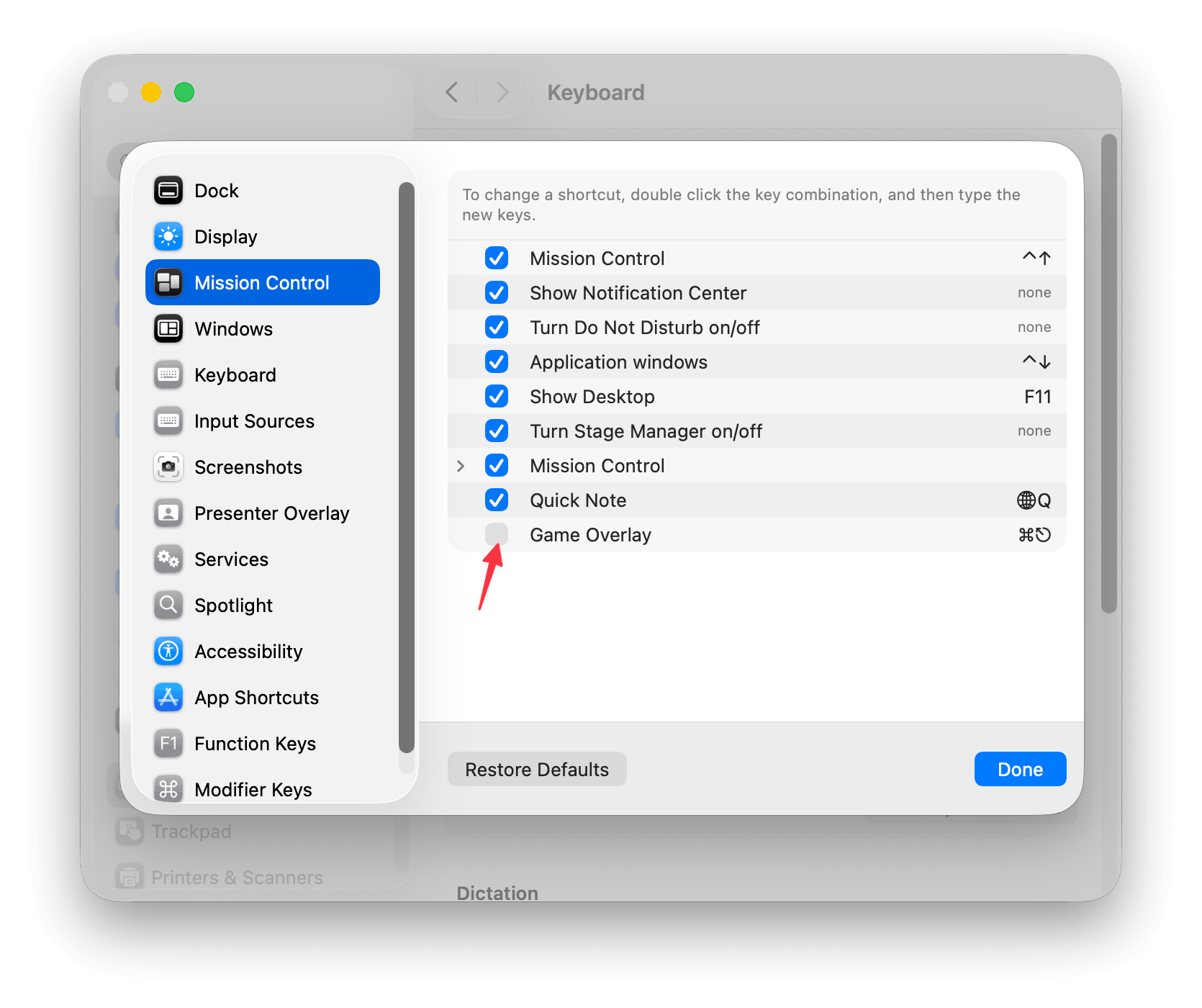
If CMD+ESC is no longer working on macOS 26 Tahoe, this may be caused by Game Overlay, a macOS feature that uses the same keyboard shortcut by default.
Although Game Overlay normally only becomes active while running a game in full screen, recent macOS Tahoe updates appear to have changed this behavior, which may cause CMD+ESC to be intercepted in other situations as well.
As a workaround, disable the Game Overlay shortcut:
System Settings → Keyboard → Keyboard Shortcuts → Mission Control → Game Overlay
Turn off Game Overlay, then CMD+ESC should work again.