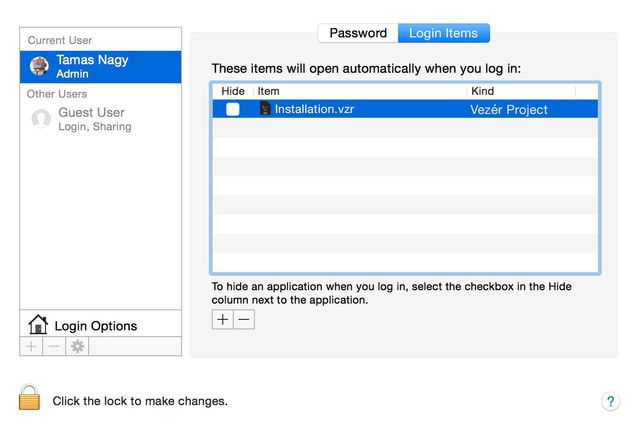
When using Vezér for an installation or exhibition you may want to open the application and a project on system startup, so once the system powered up, Vezér starts with a project automatically.
You can setup this in OS X following this steps:
- Open System Preferences
- Select Users & Group
- Select Login Items
- Add the Vezér project file with the + button
You may want to combine the auto-loading setup with a soft-quit option too, so Vezér won't ask you to save on quit. To disable confirmation on quit, go to Preferences→Global Behaviours and check the Disable confirm on Quit option on.