There are multiple ways to select Keyframes on a Track:
- clicking on a Keyframe makes it selected and Active
- hit CMD + A to Select All Keyframes on a Track
- hold down the CMD to select multiple Keyframes on a Track
- drag your mouse around the Keyframes
- Select Same/Different Keyframes: With this action, which is available from the right-click menu, you can select the same - Keyframes having the same value - or different - Keyframes not having the same value - Keyframes on a Track.
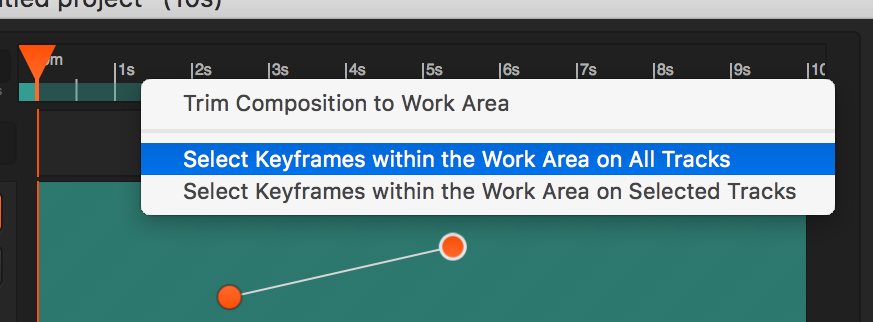
- there is an option to select Keyframes between the working area in- and out-points. Do a right-click on the Area too select this option, see image below.